

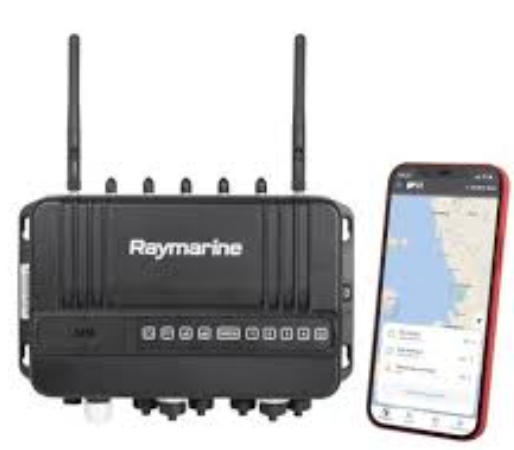

mobile SIM setup onboard
Setting up your mobile SIM card correctly is essential for enjoying seamless connectivity and optimal performance. Whether you’re a new user or upgrading your mobile device, understanding the SIM setup process can save you time and prevent unnecessary frustration. In this comprehensive guide by Ftron, we’ll walk you through the complete mobile SIM setup onboard process, common issues, and best practices to ensure a smooth experience.
Why Proper SIM Setup Matters
A properly configured SIM card enables you to:
- Access mobile data and voice services without interruption
- Ensure security through network authentication
- Optimize battery usage and device performance
- Prevent roaming or connectivity issues while traveling
How to Set Up Your Mobile SIM Card
Follow these steps to onboard your mobile SIM card successfully:
- Power off your mobile device.
- Insert the SIM card into the SIM tray of your phone.
- Power on the device and wait for network detection.
- Enter the PIN code if required (default PIN is usually provided by your carrier).
- Wait for the device to automatically configure APN (Access Point Name) settings. If not automatic, enter APN details manually from carrier instructions.
- Check connectivity by making a test call and browsing the internet.
- If using a dual-SIM phone, configure preferred SIM for data and calls via phone settings.
Common SIM Setup Issues & How to Fix Them
Sometimes, you might face issues during the SIM setup process. Here’s how to troubleshoot:
- No Network Signal: Ensure SIM is correctly inserted; restart your phone.
- Incorrect APN: Manually configure APN settings from your carrier’s website.
- SIM Not Detected: Test SIM on another device to check for physical damage.
- Locked SIM: Contact your carrier for unlocking instructions if necessary.
Best Practices for SIM Setup Onboard
Here are some expert tips to ensure hassle-free SIM setup:
- Always use an official SIM ejector tool to avoid damaging the SIM tray.
- Ensure your device is compatible with the SIM card type (Nano, Micro, Standard).
- Regularly update your device’s software for compatibility with network updates.
- Backup your contacts before switching SIM cards to prevent data loss.
Conclusion
By following this guide from Ftron, you can confidently set up your mobile SIM onboard and enjoy uninterrupted service. If you encounter persistent issues, don’t hesitate to contact your mobile carrier or our expert team for assistance. Stay connected effortlessly with the right SIM setup!
FAQs About Mobile SIM Setup Onboard
1. What is mobile SIM setup onboard?
Mobile SIM setup onboard refers to the process of installing and configuring your SIM card for use in a mobile device.
2. How long does SIM setup take?
It usually takes just a few minutes, though carrier activation may take up to 24 hours.
3. Why is my SIM not detected?
This could be due to incorrect insertion, a damaged SIM card, or an incompatible device.
4. How do I find my APN settings?
APN settings can usually be found in your phone’s mobile network settings or obtained from your carrier’s website.
5. Can I use the same SIM in multiple devices?
Yes, but only one device can use the SIM at a time. Switching devices may require reconfiguration.
6. Do I need to restart my phone after SIM insertion?
Yes, restarting your phone helps the device detect and configure the new SIM card.
7. What is the default PIN code for SIM?
The default PIN is provided by your carrier and can often be found on the SIM card packaging.
8. Will SIM setup affect my contacts?
Switching SIMs will not delete phone contacts stored on the device, but you should back up SIM contacts just in case.
9. Is it safe to remove my SIM card frequently?
Occasional removal is safe, but frequent handling may cause wear and damage over time.
10. How can I unlock a locked SIM card?
Contact your mobile carrier for a PUK (Personal Unlocking Key) to unlock the SIM card.
11. Do I need a new SIM when switching carriers?
In most cases, yes. You will need a SIM card compatible with the new carrier’s network.
