

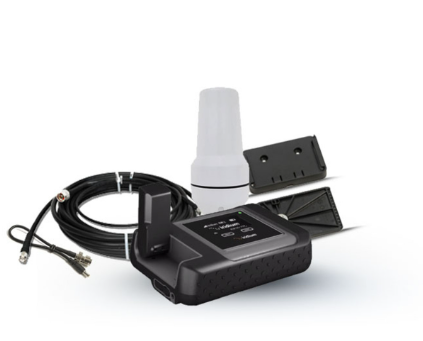
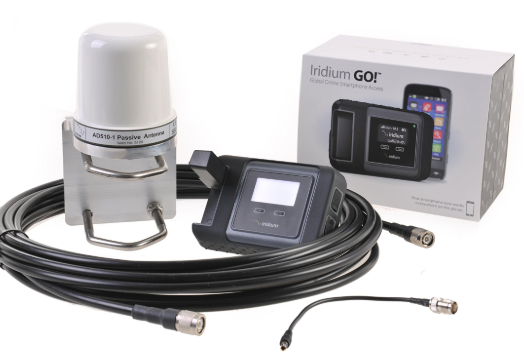
IRIDIUM ACTIVATION
Welcome to Ftron’s Iridium Activation Guide. In this post, you will discover how to activate your Iridium satellite phone or device quickly and easily. With our expert guidance, staying connected anywhere on Earth becomes simple.
What Is Iridium Activation?
Iridium activation registers your satellite device with the Iridium network. Once this process is complete, your device can make calls, send texts, and access data services. Consequently, you can communicate even in the most remote locations.
Why Choose Ftron for Iridium Activation?
- Expert Support: Our team guides you through every step of the activation process. Additionally, we provide ongoing assistance after activation.
- Fast Activation: Ftron activates most devices within 24 hours. As a result, you can start using your device without delay.
- Flexible Plans: You can select from various airtime plans. Therefore, you only pay for what you use.
- Worldwide Coverage: Iridium provides global coverage — from cities to oceans, mountains, and polar regions.
How to Activate Your Iridium Device
- First, order your Iridium device and SIM from Ftron.
- Next, provide your device IMEI number and SIM ICCID during checkout.
- Then, Ftron submits your information to the Iridium network for provisioning.
- Once approved, you will receive confirmation that activation is complete.
- Afterward, insert the SIM card and power on your device. Test it by making a call or sending a message.
- Finally, explore Ftron’s training materials and tips to get the most from your device.
Helpful Tips After Activation
- Keep your device software updated. In addition, check for firmware updates regularly.
- Store your airtime PIN securely to prevent unauthorized use.
- Test your device periodically. For example, make a test call once a month in a clear-sky location.
- Before traveling internationally, check Iridium coverage and local regulations.
Common Issues and How to Solve Them
- SIM not detected: In this case, reinsert the SIM and restart your device.
- No network signal: Move to an outdoor area with an unobstructed view of the sky. As a result, your device can establish a satellite connection.
- Payment issues: Make sure that your plan is active and all payments are up to date.
- Incorrect IMEI submitted: Double-check the IMEI number provided and contact Ftron if corrections are needed.
Frequently Asked Questions (11 FAQs)
- How long does activation take?
Ftron typically activates devices within 24 hours of submission. - Can I reactivate a suspended SIM?
You can reactivate a suspended SIM by contacting Ftron and updating your account details. - Do I need any additional equipment?
Your Iridium device and SIM card provide complete access to the network; no extra equipment is required. - Where does Iridium work?
The Iridium network delivers 100% global coverage, including oceans and polar regions. - Is training required?
While training is not mandatory, Ftron offers helpful guides and resources to support new users. - Will my device firmware stay updated?
Ftron ensures your device runs the latest firmware at activation and provides update instructions as needed. - Can I change my plan later?
Yes, you can change or upgrade your airtime plan at any time through your Ftron account dashboard. - What if I lose my SIM card?
If your SIM card is lost, contact Ftron immediately to deactivate it and request a replacement. - Does Iridium support emergency services?
Iridium supports global emergency communications, including SOS alerts and emergency calls. - Are taxes included in the plan?
Most taxes and fees are included in the plan, although some local VAT may apply depending on your region. - How do I contact support?
You can reach Ftron’s 24/7 customer support team via phone, email, or live chat whenever assistance is needed.
Activating your Iridium device with Ftron ensures reliable global communication. As a result, you can stay connected wherever your mission takes you.
